The CRM
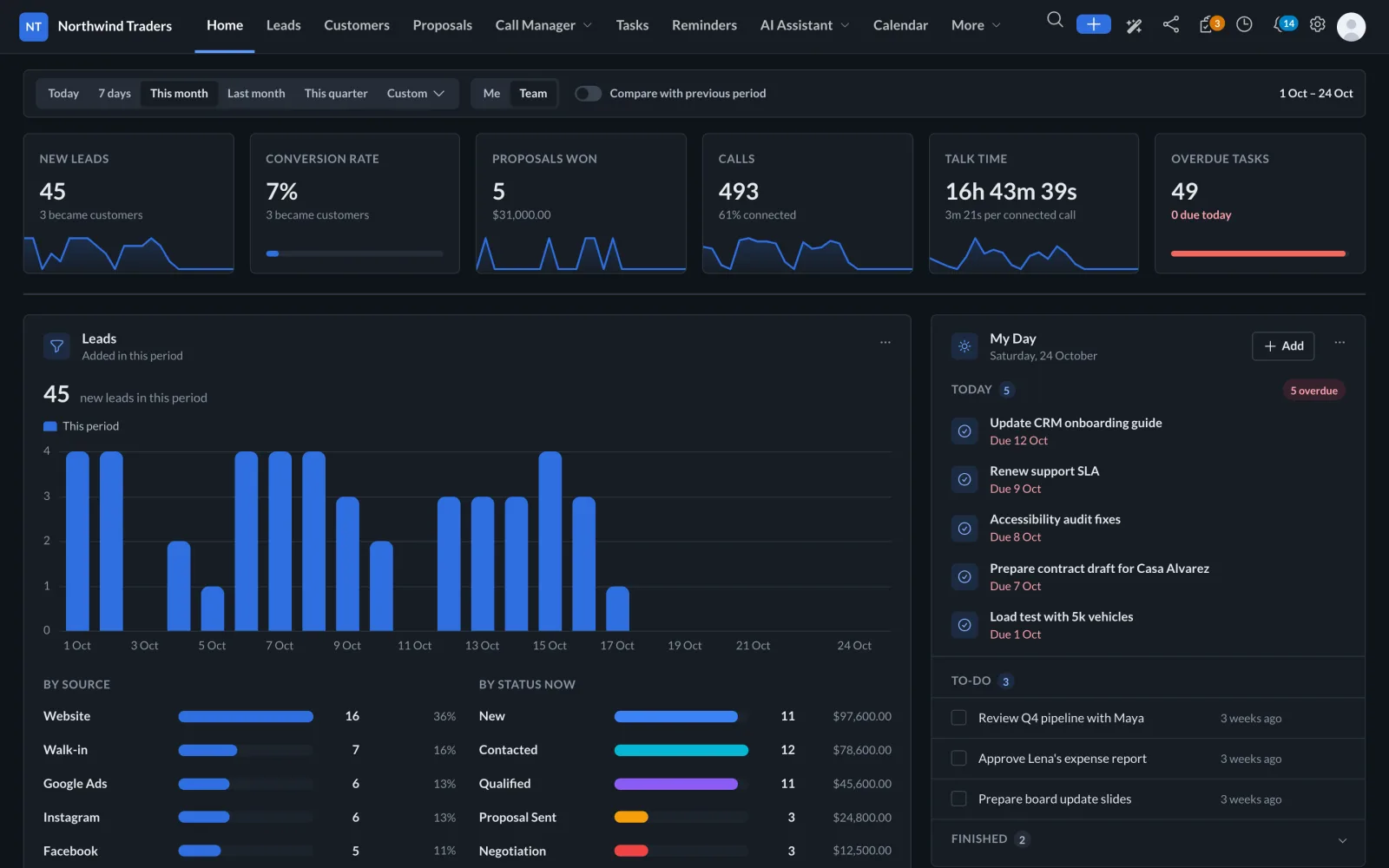
Leads, customers, proposals, tasks, reminders, calendar, goals and a knowledge base, with a dashboard built around leads, conversions and calls.
Explore the CRM
CRM · Call Manager · AI Assistant
EezyVoice puts your pipeline, your team's phone calls and an AI assistant on one screen. Calls file themselves against the right lead from the rep's own phone, and the assistant answers from live records.
Which new leads haven't been called yet?
Three new leads from this week have no call logged:
Leads, customers, proposals, tasks, reminders, calendar, goals and a knowledge base, with a dashboard built around leads, conversions and calls.
Explore the CRMAn Android app on each rep's phone sends their calls to the CRM, where every call is filed against the right lead or customer, with recordings, AI summaries and follow-ups.
See Call ManagerAsk about leads, calls and proposals in plain words from any page. Get answers from live records, and approve each change before it happens.
Meet the assistantThe CRM
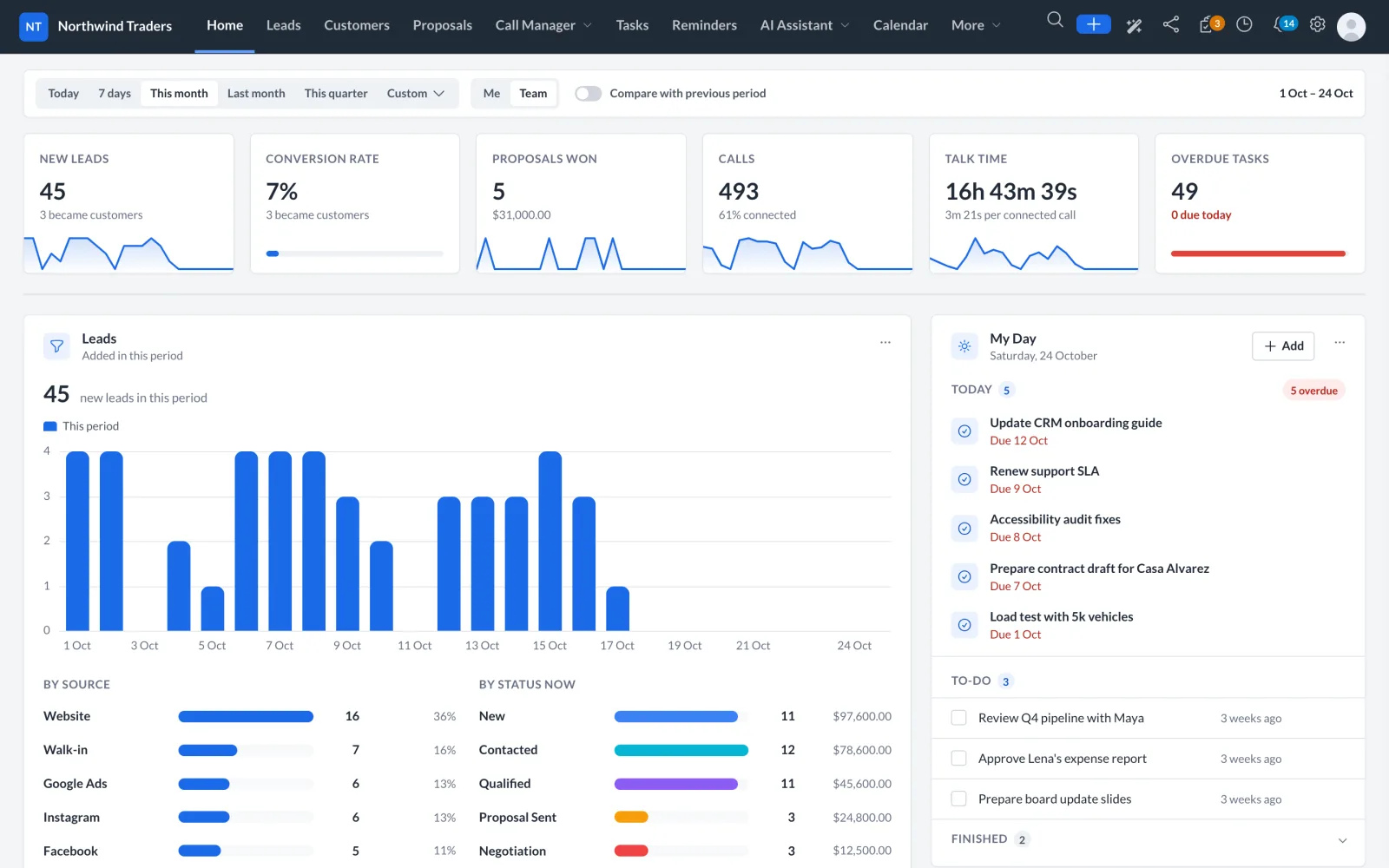
Pick a period, compare it with the one before, and switch between your own numbers and the team's. Every tile opens the filtered list behind it, and the call figures come straight from Call Manager.
Call Manager gives you detailed analytical reports about every sales representative with their total calls, their productivity, their target achievements and their conversions through phone calls.
Create multiple lead stages and track the number of leads in each stage with its idle time.
Create web forms, connect it with your website or any other online resources and automatically collect leads to CRM.
Create instant proposals with pre-defined items, send, track and get them accepted online by a single click. Set reminders and follow-up on regular basis.
Keep eagle eye on your team’s day to day activity. Assign task with due date and monitor the progress with overdue reports and automated reminders.
Track the lead history from day 1, activity by activity with timeline. Keeps you updated about every lead’s follow-up and idle state.
Assign calls to your sales rep, with leads that send automated notifications to rep on their call manager mobile app to execute the call.
Call Manager
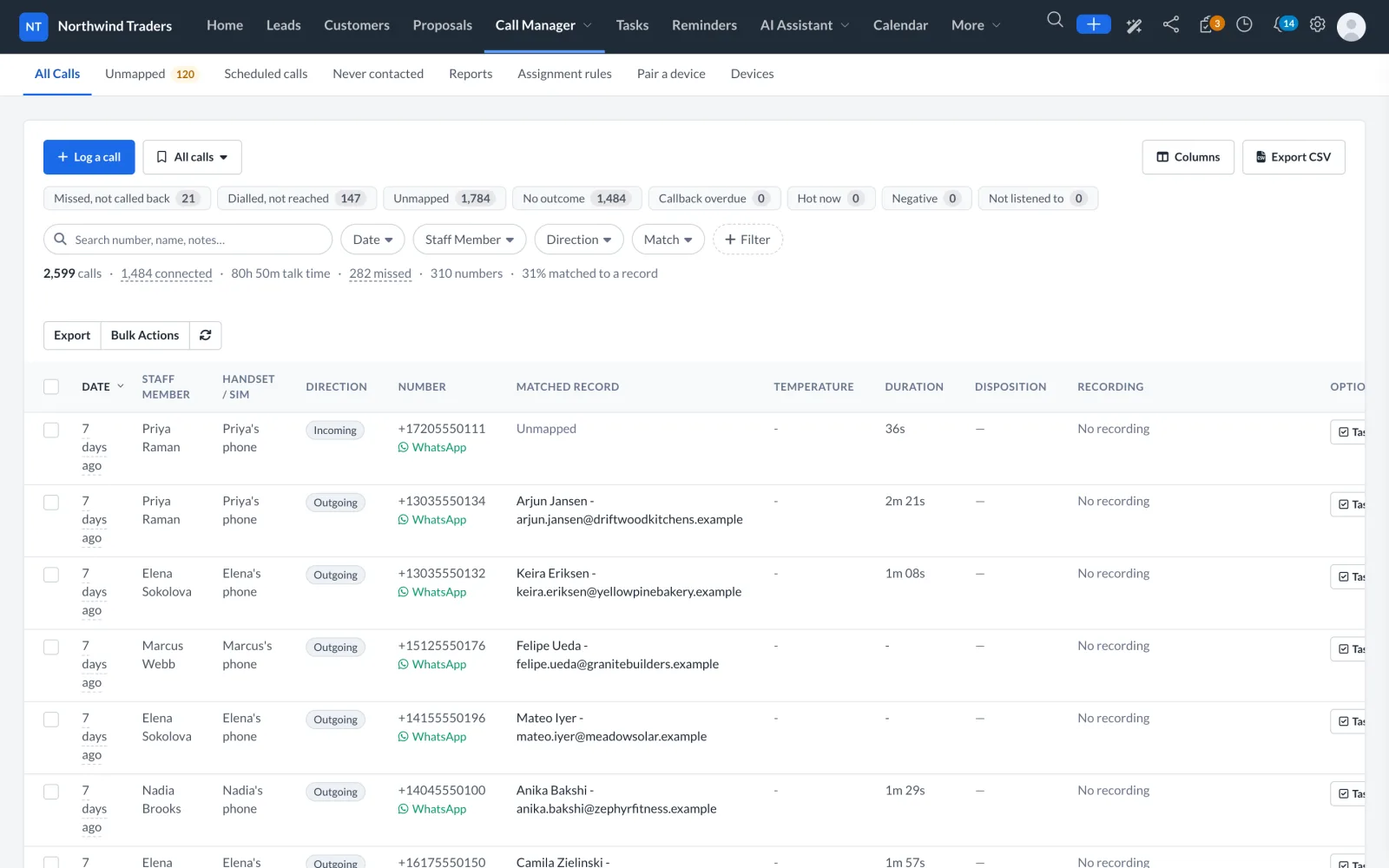
Reps call the way they always have, from their own Android phone. The Call Manager app reads the handset's call log and sends each call to the CRM, where it is filed against the lead or customer it belongs to.
Each rep scans a code from their own CRM session. Nothing to type, and the app signs in as them, with their permissions.
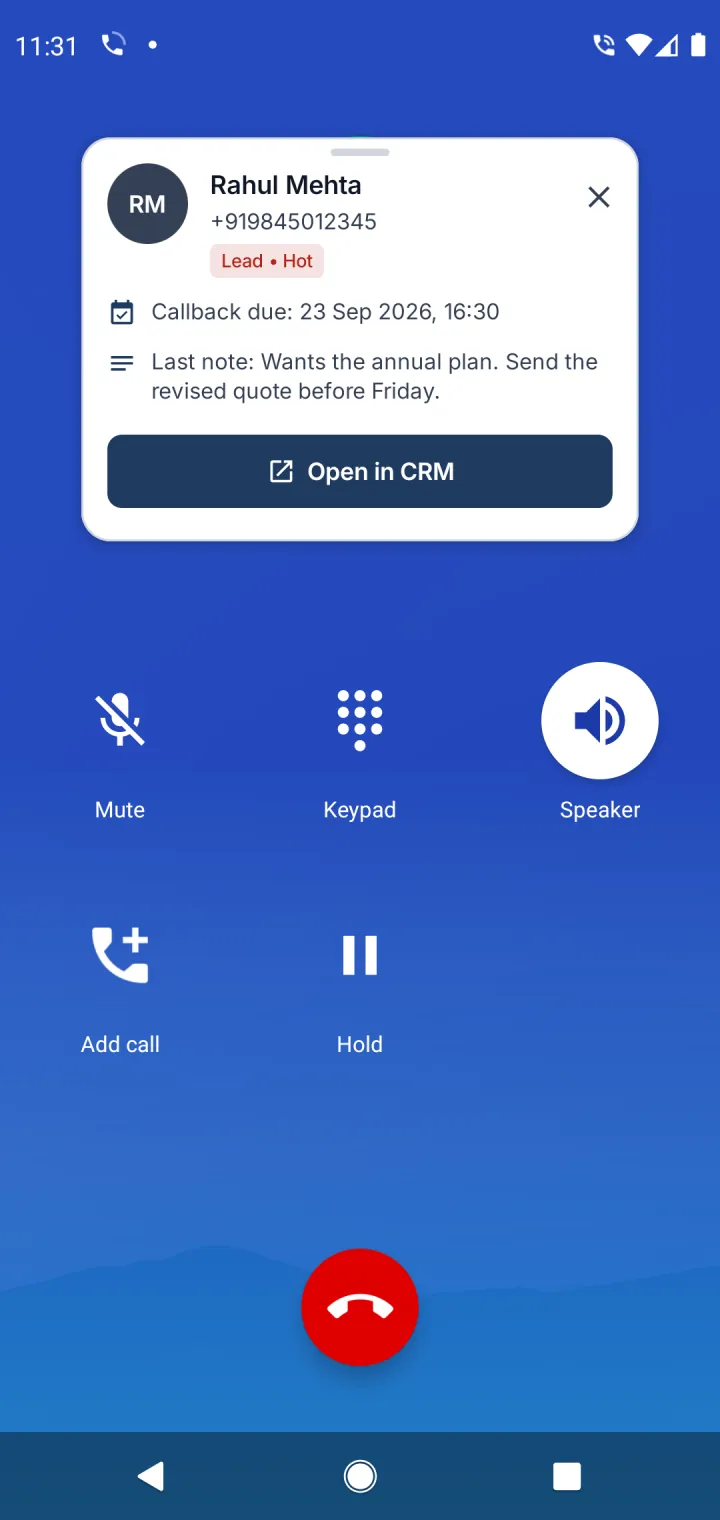
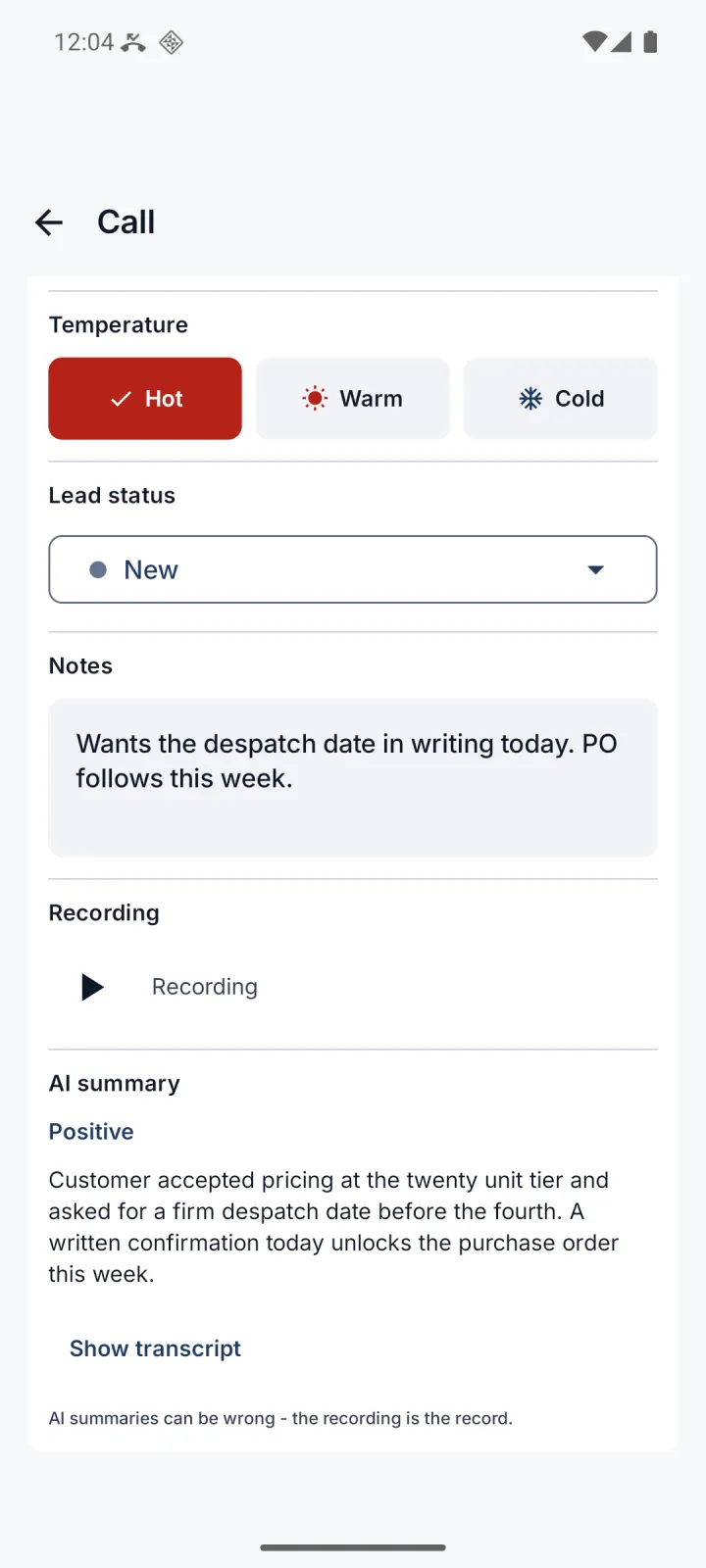
While the phone rings, the rep sees who it is, the last note and the callback that is due. After the call, a prompt asks for the outcome.
Numbers match leads, customers and contacts. Unknown numbers wait in a queue, one tap from becoming a lead.
Where the phone records calls, the recording plays in the CRM with an AI summary, a sentiment badge and a transcript.
New leads go to the right rep by source, value or availability, with the first call scheduled. If nobody dials it in time, it moves to the next available rep.
Best time to call, rep leaderboard, missed calls not called back, talk time, daily targets and outcomes.
Two qualified leads were promised a proposal this week and have none yet:
| Lead | Promised | Value |
|---|---|---|
| Arjun Jansen, Driftwood Kitchens | Mon | $2,400 |
| Sofia Alvarez, Casa Alvarez Hotels | Tue | $9,800 |
Arjun's last call ended with "wants a quote for 20 units".
Here is a draft you can send from the lead:
Hi Arjun, thanks for the call on Monday. As promised, here is our proposal for the 20-unit order, with delivery before the 4th…
AI Assistant
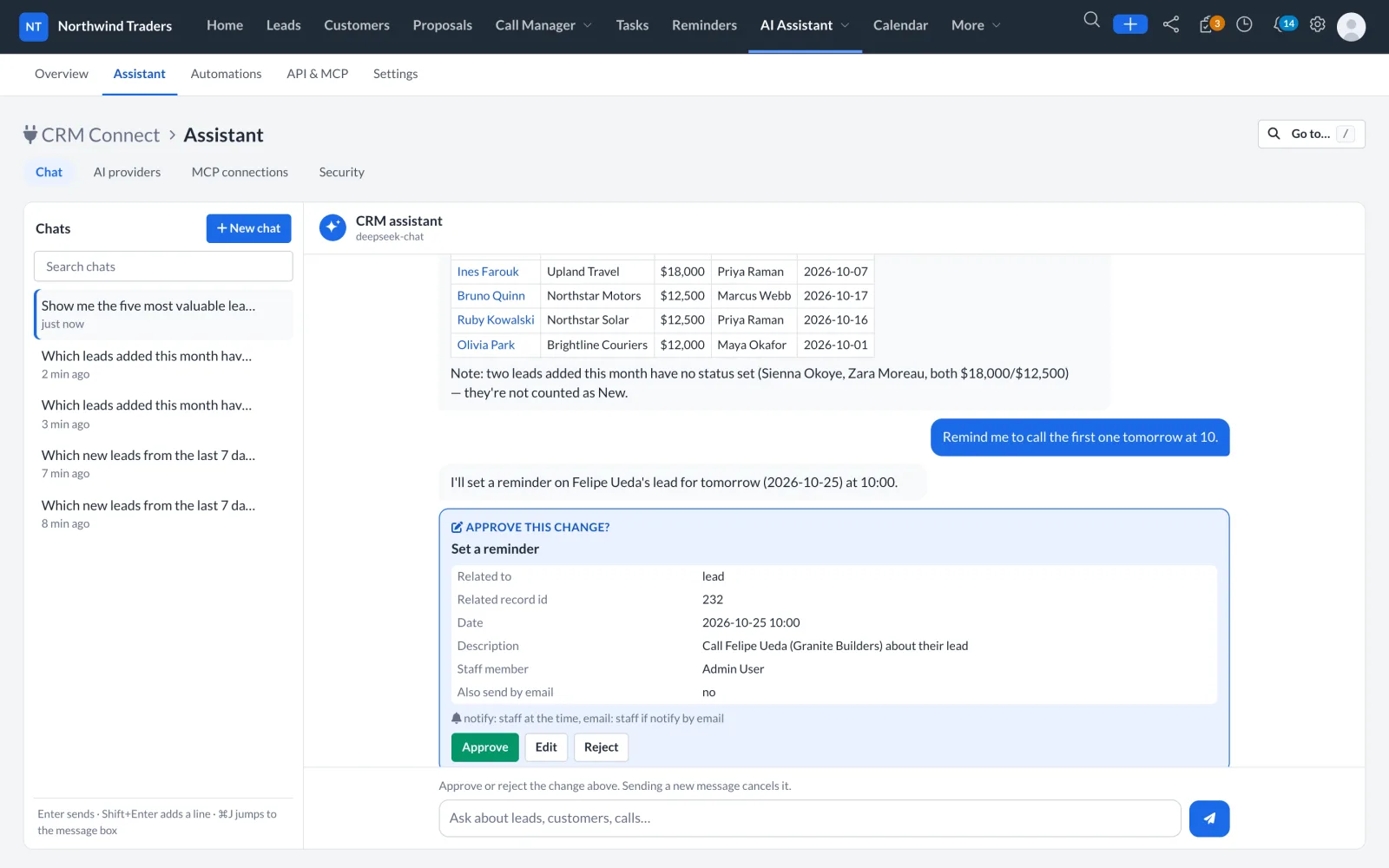
Open it from any page in the CRM, ask in plain words, and get answers from live leads, calls and proposals. Every change it proposes waits for your approval.
Type your natural English, ask any question you want, your assistant will get back with answers in seconds.
Tell your assistant what you want to perform, and let your assistant do the job for you. Right from Creating a Lead to Drafting a Proposal your assistant takes care.
Reminders, tasks and edits appear as cards you approve, edit or reject. The assistant acts as you, inside your permissions.
Use your own key with the provider you trust. Keys are encrypted, and only the last four characters are ever shown.
Connect Claude, ChatGPT or Cursor to the CRM over MCP, automate on CRM events, and build on the REST API and webhooks.
How it works
From the ad to the accepted proposal, nobody types a call log and nothing waits for a manager to notice.
Someone fills your Instagram lead form. EezyVoice creates the lead with its source and the form fields, and checks it is not already in the pipeline.
A rule picks the rep by source and value, assigns the lead and schedules the first call. If nobody dials in time, the lead moves to the next available rep.
The caller card shows the lead's details during the call. Afterwards, one tap records the outcome and a note.
The call lands on the lead with its duration, recording and an AI summary with sentiment. No typing, no forgotten calls.
The rep sends a proposal from the lead. The customer accepts it online, and the dashboard counts the win.
"Who did we promise a proposal this week?" The assistant answers from live records and sets the reminders you approve.
Integrations
Facebook and Instagram lead forms arrive as leads, mapped to your fields and deduplicated by email or phone.
Emails that reach a mailbox become leads, and proposals and replies go out from your own address.
Embed a form on your site. Submissions land in the pipeline and in the assignment rules.
Twilio, Clickatell or MSG91 for reminders and notifications.
One tap from any call or lead to continue the conversation on WhatsApp.
Calendar, Maps and reCAPTCHA on public forms.
Read and update the CRM from the AI tools you already use, over MCP, as the signed-in person.
Signed events such as lead.created, and a documented API with an OpenAPI spec.
Built for trust
Runs on your own server or hosting. Customer data stays where you put it.
Reps see their own leads and calls, managers see the team. The assistant and the API follow the same permissions.
Before a phone syncs a single call, the rep reads what is sent and agrees. The app records which wording they accepted.
Reads are instant, writes wait for a yes. Every tool call is logged with who, what and when.
AI provider keys and tokens are encrypted with your CRM's key. Only the last four characters are ever shown.
A documented REST API, signed webhooks and MCP, so your data is never locked in.
Book a short demo. We will walk through the dashboard, the Call Manager app and the AI Assistant with your team's workflow in mind.